RECORD IT WHEN IT WORKS FOR YOU
Save what you measured
Add weight, length, or height — together or separately. Baby Genesis stores values in your selected measurement system, metric or imperial.
Record weight and length or height whenever you measure them. Baby Genesis keeps the latest values, history, and growth chart together in one calm place.



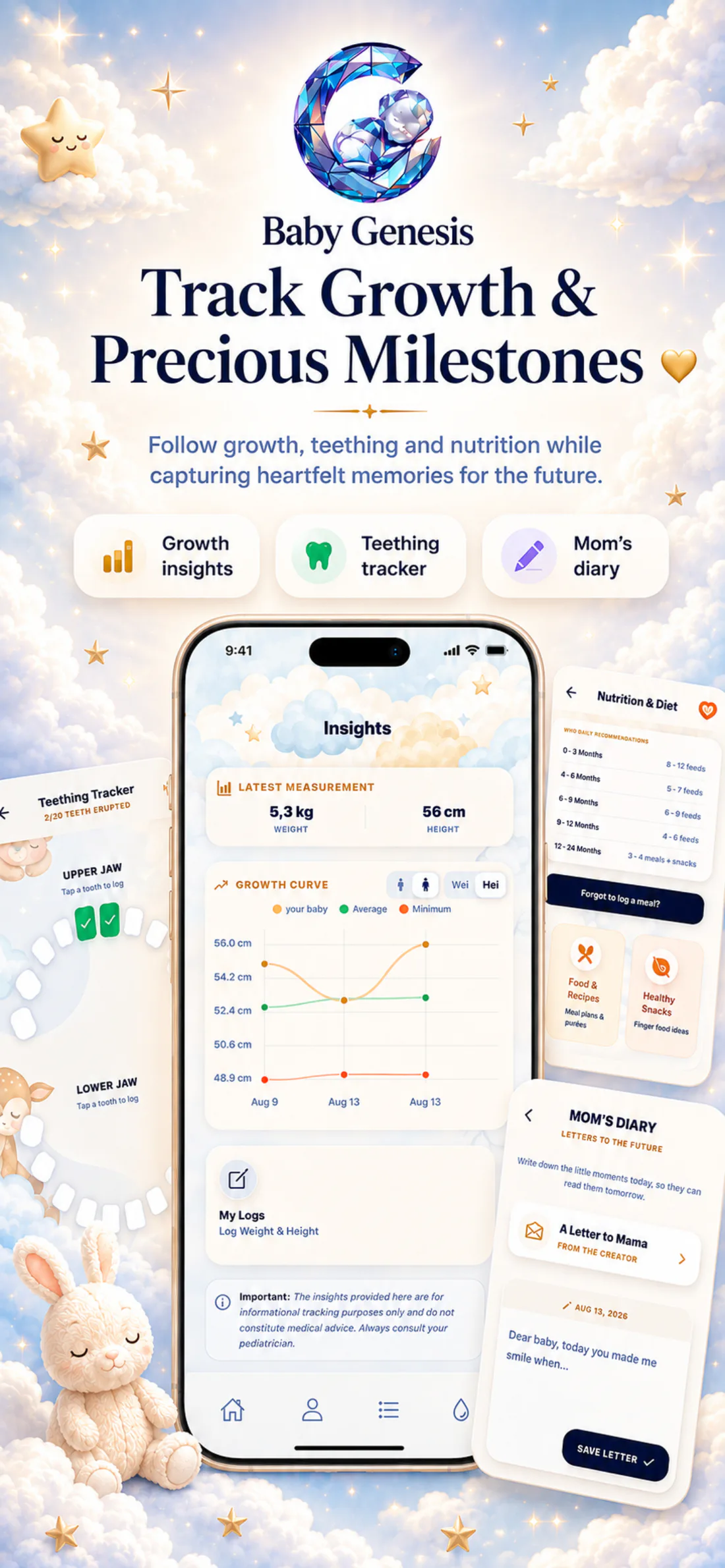
Enter values when you receive them at an appointment or measure them at home. The latest measurement stays at the top, while every earlier record adds context to your history.
See how it looks in the appOne measurement today. A clearer picture tomorrow.
Measurements stay where you need them.date · value · history
Add weight, length, or height — together or separately. Baby Genesis stores values in your selected measurement system, metric or imperial.
Every measurement gets a date and remains in the history. You can remove an individual record or, if needed, clear the entire measurement history.
At the top of the screen, you immediately see the latest saved weight and length or height without searching through older entries.

When the selected metric has at least two valid measurements, Baby Genesis connects them in a growth chart.
You can choose weight or length/height for the chart. It shows up to six of the latest matching records, while earlier measurements remain available in history. If you use the reference view, you can choose girls or boys as a general visual guide alongside your own entries.
Each new record stays alongside earlier values, so the view is built from the real measurements you saved.
The Growth screen keeps the most useful details in view: the latest measurement, your selected chart, and the history you can return to at any time.
When values are saved with dates, it is easier to look back at change over time without relying on memory or old notes.
One point does not show a direction. The chart appears only when the selected metric has at least two valid positive measurements.
Baby Genesis does not measure your child automatically and does not alter your values. The chart follows the measurements you save.
Choose the metric you want to see on the chart so values are not mixed on a single line.
You can choose a girls’ or boys’ reference view alongside your baby’s own data. It is provided for general tracking and is not a diagnosis, percentile assessment, or medical advice.

Baby Genesis helps you save measurements, compare them over time, and see change more clearly. The real context of your child is best understood by you and the healthcare professionals who follow their development.
From the latest recorded weight to earlier values, your measurements stay in one place when you want to review them before the next check or appointment.

Download Baby Genesis free on iPhone or Android. No subscription is required for core tracking.