STARTER LIST
Six foods are ready from the start
Peanuts, eggs, cow’s milk, wheat/gluten, soy, and fish each appear as separate items on the list.
Track starter and custom foods, mark each one as Untested, Safe, or Reaction, and automatically connect recorded reactions with Health Passport.



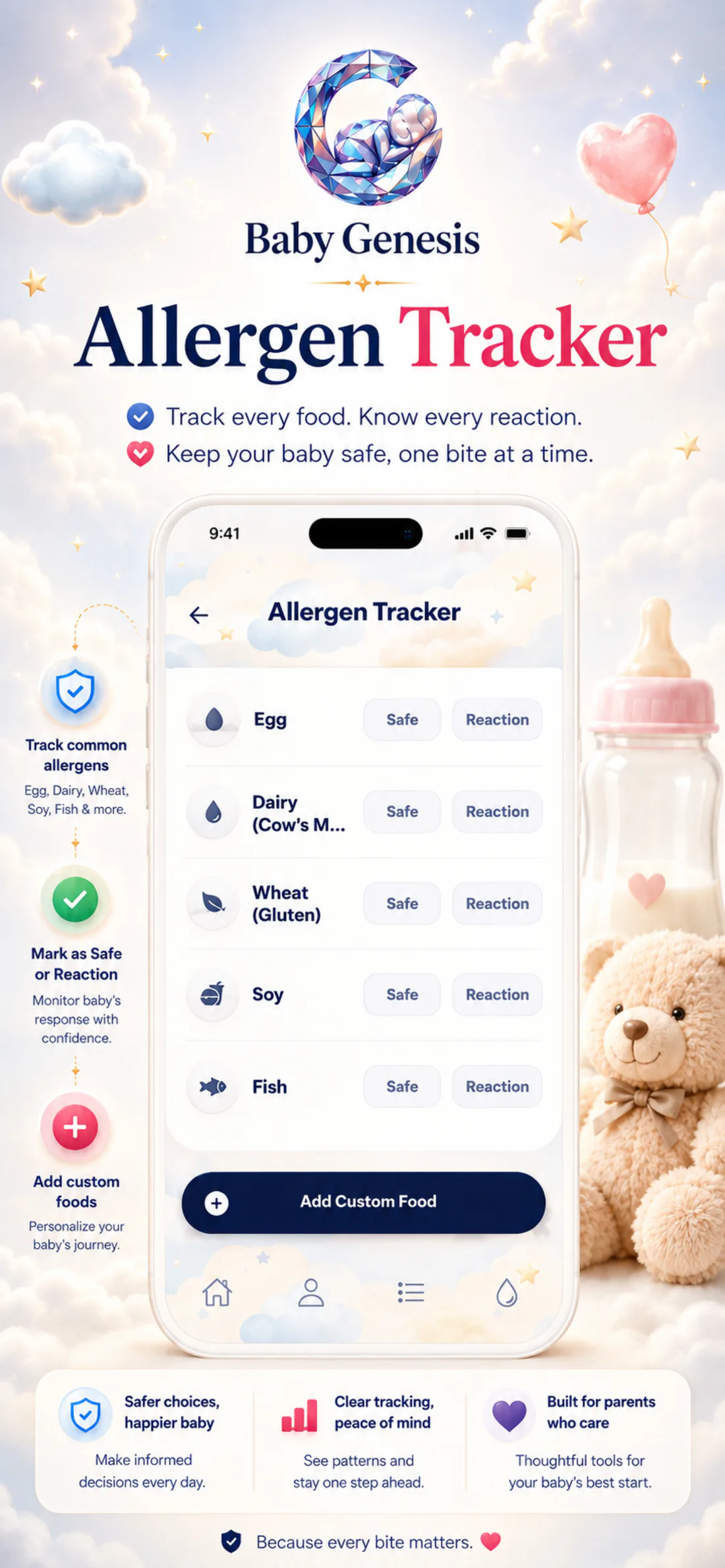
Allergen Tracker starts with six foods and lets you add your own. The same screen keeps the food name, current status, and the items you may want to see reflected in Health Passport.
See how it looks in the appA new bite today. Clearer context tomorrow.
You record it. The history stays.one list · calmer overview
Peanuts, eggs, cow’s milk, wheat/gluten, soy, and fish each appear as separate items on the list.
Enter a food name in the custom field. A new item starts as Untested and can be removed from the list later if you no longer need it.
For each food, choose Untested, Safe, or Reaction. Tapping the same status again returns the item to Untested.
Untested, Safe, and Reaction stay visible beside each food, so you can return to the list without searching through earlier notes.
A starter or custom item begins as Untested. Tap Safe or Reaction to save a status, then tap the same status again if you want to return it to the starting state. As soon as you change a status, the list keeps the new label; foods marked as Reaction automatically update the allergies section in Health Passport. That means you do not enter the same name twice, and the status stays connected to the food you selected.
Every item follows a simple path: starter list or custom entry, selected status, then an updated Health Passport when you mark a Reaction.
You do not need to enter them first. Open an item when you want to track it, update its status as needed, or add another food of your own.
Peanuts, eggs, cow’s milk, wheat/gluten, soy, and fish are available without any additional setup.
Enter the food you want to add. You can later assign a status or remove the item if you no longer need it.
Tap the status button beside a food to save it. Tap the same status again to return the item to Untested.
Foods marked as Reaction are synchronized with the allergies field in Health Passport, so you do not need to type the same name again.
When you reopen Allergen Tracker, your foods and previously saved statuses return.

Allergen Tracker keeps starter foods and custom foods on the same list. You can change the status of any item whenever you want, and the list returns with the records you already saved.
From starter foods to your own entries, the list stays ready whenever you want to review or update what you have already saved.

Download Baby Genesis free on iPhone or Android. No subscription is required for core tracking.